
September 21, 2026
The Best SSH Client for iPhone in 2026
Eight SSH apps for iPhone and iPad compared on terminal quality, Mosh, SFTP, port forwarding, jump hosts, monitoring, Docker, sync, and price, with a pick for each kind of user.
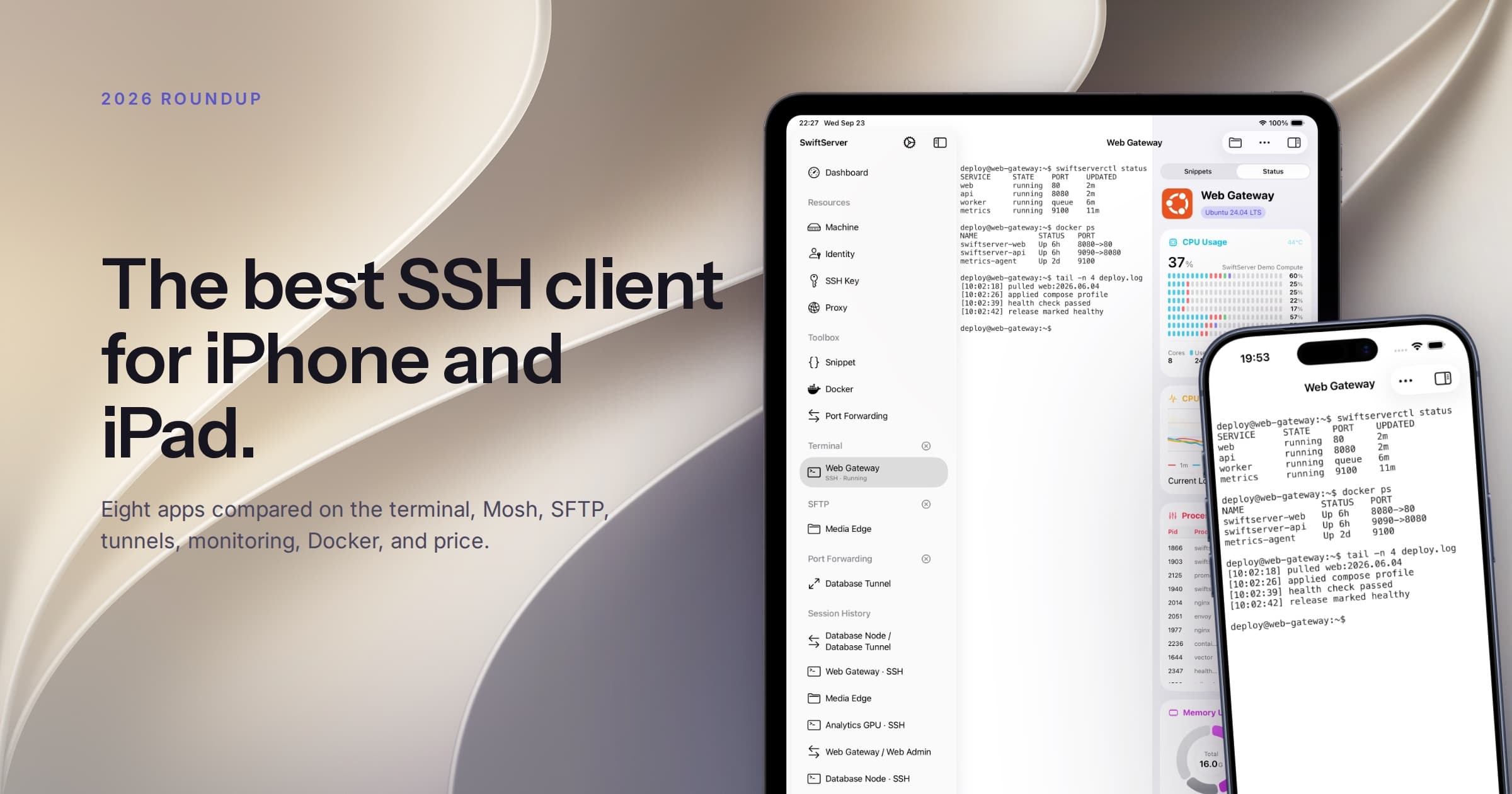
With an SSH client on your iPhone, you can fix a server from the train. The App Store has more than a dozen, from bare terminals to file managers with a shell attached. A few also show what the server is doing before you type a command.
This guide compares the eight that matter in 2026 on the terminal, Mosh, SFTP, port forwarding and jump hosts, monitoring, Docker, sync, and price.
The short answer
- SwiftServer for most people. It pairs the terminal with monitoring and Docker in one native app, and the terminal is free. One purchase covers iPhone, iPad, and Mac.
- Termius if you also work on Windows, Linux, or Android and want the same host list everywhere.
- NeoServer for the longest feature checklist on the phone alone.
- Blink Shell for a keyboard-first terminal on iPad.
- Prompt 3 for hardware security keys and Panic's polish.
- Secure ShellFish if the Files app matters more than the shell.
- ServerCat for monitoring with a terminal as an add-on.
- WebSSH for a one-time purchase and the longest track record.
The eight at a glance
| App | Platforms | Mosh | SFTP | Port forwarding | Jump hosts | Monitoring | Docker | Price |
|---|---|---|---|---|---|---|---|---|
| SwiftServer | iPhone, iPad, Mac | Yes, free | Yes | Local, remote, dynamic | Yes, chains | Linux, macOS, Windows | Full panel | Free; Premium $1.99/mo, $9.99/yr, $34.99 lifetime |
| Termius | iPhone, iPad, Mac, Windows, Linux, Android | Yes | Yes | Yes | Pro on iOS | No | No | Free Starter; Pro $15/mo or $119/yr |
| NeoServer | iPhone, iPad; Mac with the phone layout | Yes | Yes | Yes | Yes | Yes | Yes, plus Podman | $3.99/mo, $24.99/yr, $59.99 lifetime |
| Blink Shell | iPhone, iPad | Yes | Files app | Local, remote, dynamic | ssh_config | No | No | Blink+ $19.99/yr |
| Prompt 3 | iPhone, iPad, Mac, Vision Pro | Yes | No | Yes | Yes | No | No | $9.99/yr or $49.99 once |
| Secure ShellFish | iPhone, iPad, Mac | No | Files app, Finder | Limited | Yes | No | No | Free with ads; $14.99/yr, $29.99 lifetime |
| ServerCat | iPhone, iPad, Mac | No | Yes | Limited | Limited | Linux | Yes | Free monitoring; $5.99/yr, $18.99 lifetime |
| WebSSH | iPhone, iPad, Mac | Yes | Yes | Local, dynamic | Via tunnels | Proxmox only | No | Free, 1 connection; Pro $15 once |
1. SwiftServer
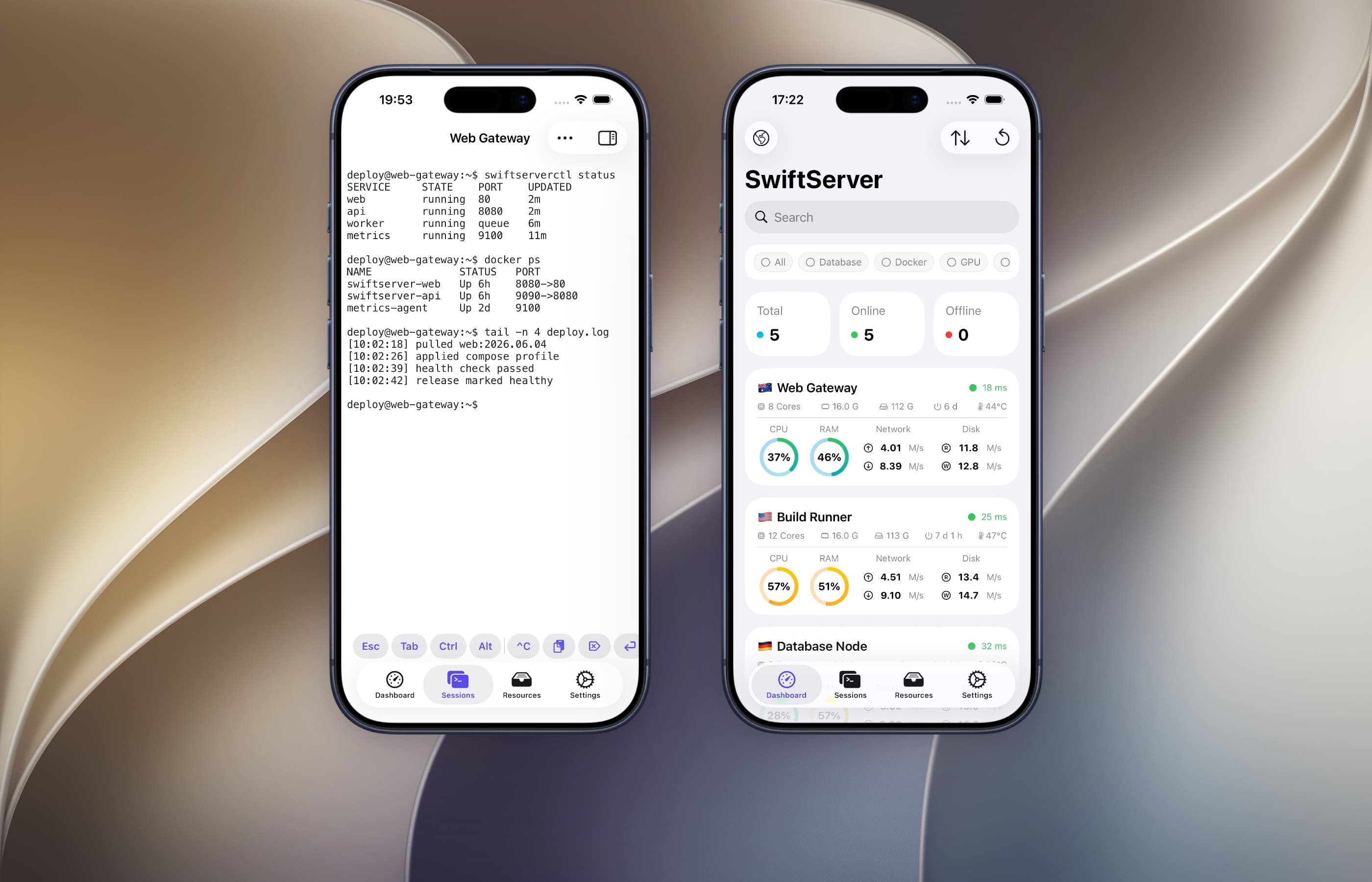
SwiftServer gives every host a live status page with per-core CPU, load, memory, processes, network, disk I/O, and NVIDIA GPU, all read over the SSH connection you already have. Nothing is installed on the server, and Linux, macOS, and Windows hosts are all supported.
The terminal
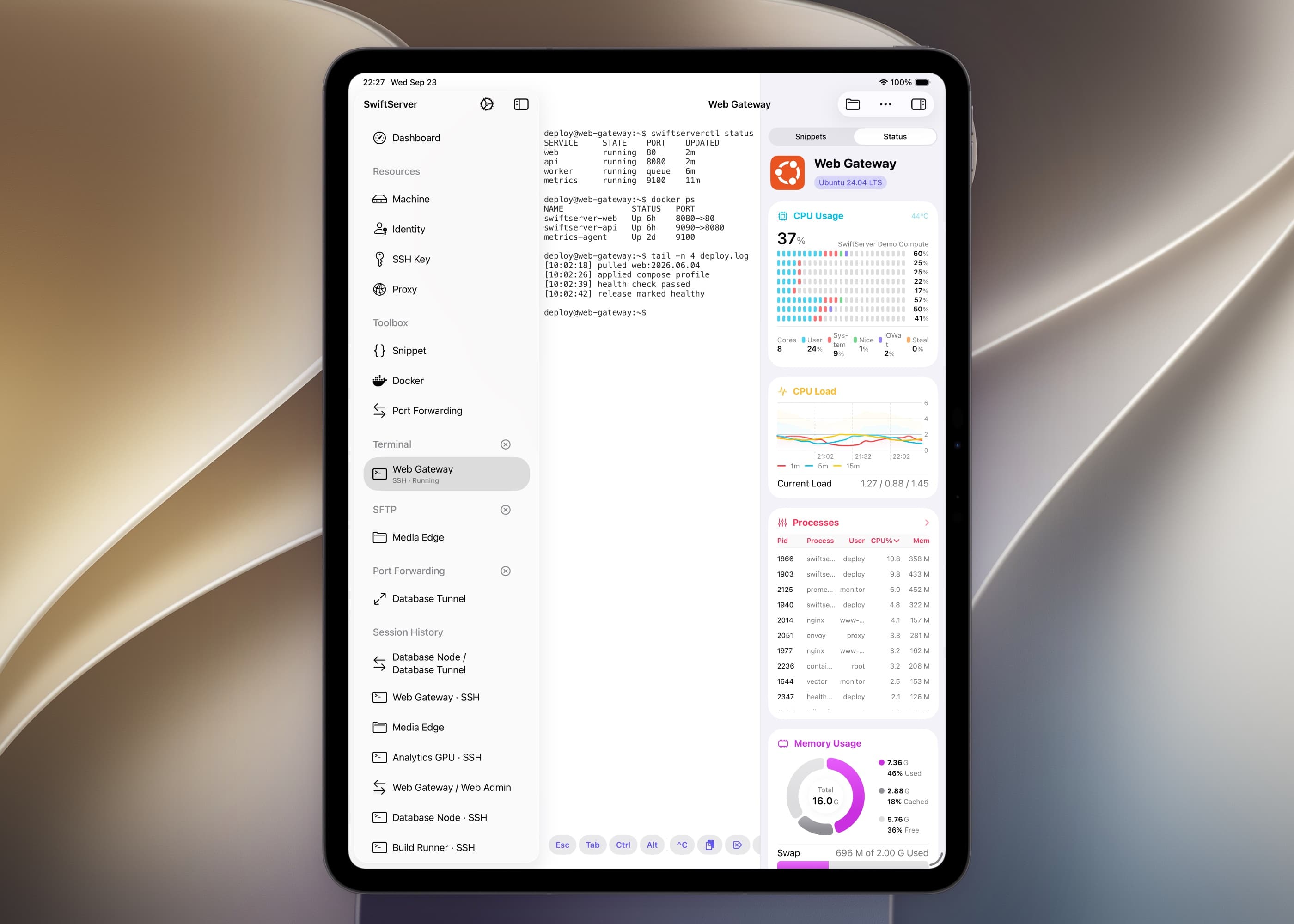
It is a full xterm-256color terminal with true color, Unicode, and search, so vim, htop, and tmux behave as they do on a desktop. It ships more than 500 color schemes, chosen separately for light and dark mode, and nine monospace font families, and you can import your own fonts. Size, line height, and letter spacing are adjustable. Sessions run in parallel, can be duplicated, and reconnect with one tap from Session History.
Mosh is built in and free. Turn it on for a machine, and SwiftServer starts mosh-server over SSH and switches to UDP. The session then survives a locked phone, a switch from Wi-Fi to cellular, or a new IP address. Snippets save a command once and run it in any open session or across a whole group of machines, with a result card per machine and a history of every run.
Built for iPhone and iPad
On iPhone and iPad a key row puts Esc, Tab, Ctrl, Alt, Ctrl-C, paste, and the arrow keys under your thumb. With a hardware keyboard, ⌘F opens find inside the terminal, ⌘+ and ⌘- resize the text, and ⌥⌘I toggles the Terminal Inspector. The inspector is a side panel with two tabs. Status shows live CPU, load, memory, and processes for the current machine, and Snippets offers Copy, Paste, and Run against the open session.
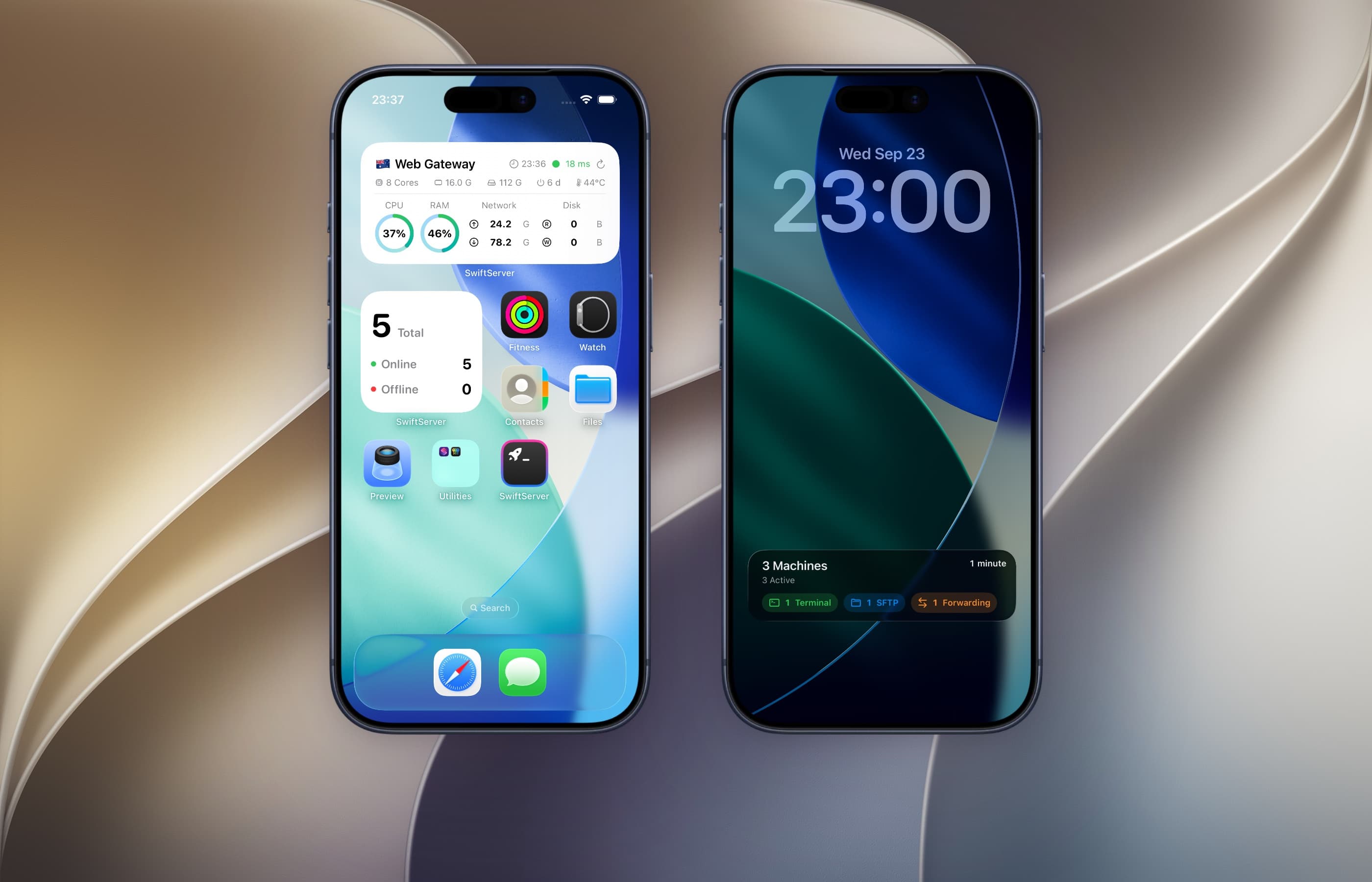
A Live Activity in the Dynamic Island and on the Lock Screen counts your running terminal, SFTP, and port forwarding sessions, and expands to show which machines are active. Two Home Screen widgets refresh on their own. The Overview widget counts total, online, and offline servers, and the Machine widget shows one server's CPU, memory, network, and disk. A tap opens the app in the right place.
Files, tunnels, and containers
SFTP browses, uploads, downloads, renames, and creates files and folders, and previews them with Quick Look. Text files open in a built-in editor with line numbers and syntax highlighting for shell, Python, YAML, JSON, Dockerfile, and a dozen other formats. Copy to… moves files between two open servers from one screen, and Open Terminal Here opens a shell in the folder you are browsing.
Port forwarding saves local, remote, and dynamic SOCKS rules. They start with a tap or automatically at launch, and on iPhone and iPad the forwarded address opens in a built-in browser. Jump hosts reach a server through one bastion or a chain of them, and each hop signs in with its own credentials and checks its own host key. SOCKS5 and HTTP CONNECT proxies attach to a machine or to a single rule. The Docker panel talks to the Docker Engine API over the same SSH connection, so no Docker port is exposed. It covers containers, Compose projects, images, volumes, networks, live stats, logs with follow, a shell inside a running container, and an event stream.
Keys, hosts, and privacy
SwiftServer signs in with passwords, keys, or keyboard-interactive prompts. It generates Ed25519, ECDSA, and RSA keys on the device, and imports existing ones by pasting or from a file. On first contact it shows the host key's SHA256 fingerprint and asks you to trust it. If a server later presents a different key, the connection stops and says so. Saved passwords and private keys live in the Keychain, and you can require Face ID, Touch ID, or your passcode before any of them is shown.
No account is needed. Machines, identities, keys, snippets, forwarding rules, and proxy profiles sync through your own iCloud. Secrets travel only through iCloud Keychain, which Apple encrypts end to end. The app carries no analytics SDK, and its SSH engine, Traversio, is open source and written in Swift.
On the Mac
The Mac version is a native macOS app with multiple windows, a Dock menu of recent connections, and desktop widgets. A menu bar panel keeps monitoring after the last window closes, and Local Shell opens a terminal on the Mac itself beside your SSH sessions.
Best for: anyone who wants the terminal and the state of the server in one place, on iPhone, iPad, and Mac.
Price: the terminal, Mosh, snippets, SFTP, one port forwarding session, and monitoring for three servers are free. Premium is $1.99 a month, $9.99 a year, or $34.99 once, and one purchase covers all three devices.
2. Termius
Termius is the most widely used SSH client on mobile. Its strength is reach: the same app and the same host list on iPhone, iPad, Mac, Windows, Linux, and Android. Hosts, keys, and snippets live in a Termius account and sync through Termius servers on the Pro plan. The terminal is solid, with tabs, split view, themes, and Live Activities for connections and port forwards. The free tier supports hardware security keys and SSH certificates.
The trade-off is the account and the price. Everything goes through a Termius login, and the features you would use every day are in Pro, including jump hosts and agent forwarding on iOS. It offers no server monitoring or Docker management, and the Mac app is built on Electron.
Best for: teams and people who split their day between Apple devices and Windows, Linux, or Android.
Price: free Starter tier with an account. Pro is $15 a month or $119 a year.
3. NeoServer
NeoServer covers a lot of ground: SSH and Mosh, tmux and zellij integration, SFTP with an editor, jump servers and SOCKS5, monitoring with GPU and temperature, Docker and Podman management, batch scripts, and Wake-on-LAN. In scope, it is SwiftServer's closest competitor.
NeoServer is built for the phone, and the Mac is where it falls short. The Mac app carries the iPhone layout onto a desktop display, without a menu bar presence or a local shell. App Store reviews describe the Mac version as neglected, with text too small to read comfortably, and say the purchase feels like an iOS license that happens to install on a Mac. Monitoring covers Linux hosts only. The app is closed source, its privacy label lists usage data collection, and it is sold subscription-first. Its lifetime option costs more than any other app here.
Best for: iPhone-only users who want the longest feature checklist and do not mind the subscription.
Price: $1.99 a week, $3.99 a month, $24.99 a year, or $59.99 once.
4. Blink Shell
Blink Shell is the terminal for people who bring a keyboard to their iPad. It is fast and fully keyboard-driven, and supports Mosh, local, remote, and dynamic forwarding, agent forwarding, and full ssh_config files. Keys can live in the Secure Enclave. The app is open source under the GPL.
It runs on iPhone and iPad only, with no current Mac version. Its only file access is through the Files app, and it has no monitoring or Docker. The terminal is rendered by a web view. Access requires a Blink+ subscription after a 14-day trial, and reviews often complain about the required trial.
Best for: iPad users with a hardware keyboard who want a terminal and nothing else.
Price: Blink+ $19.99 a year. Blink Build, which adds cloud dev machines, is $7.99 a month.
5. Prompt 3
Prompt 3 is Panic's SSH client, made with the care Panic is known for. It supports SSH, Mosh, Eternal Terminal, and Telnet, along with jump hosts, agent forwarding, FIDO2 security keys, YubiKey, SSH certificates, and Secure Enclave keys. Clips are its snippets, and Panic Sync keeps servers in step across iPhone, iPad, Mac, and Vision Pro. On the Mac it can open a local terminal through a helper.
It offers a terminal and a host list, without an SFTP browser, monitoring, or Docker. Updates have been infrequent this year.
Best for: people who authenticate with hardware keys and want a beautifully made terminal.
Price: $9.99 a year or $49.99 once, covering iPhone, iPad, Mac, and Vision Pro.
6. Secure ShellFish
Secure ShellFish starts from files. Server directories appear in the Files app on iPhone and iPad and in Finder on the Mac, with offline folders, drag and drop, and Shortcuts actions. The terminal supports password, key, and two-factor login, YubiKey, and SSH certificates, and integrates with tmux to keep sessions alive. Server settings sync through iCloud Keychain.
It has no Mosh, and the free tier shows animated ads inside the terminal. A single developer builds it, which keeps it focused and small.
Best for: moving and editing files on a server from the Files app.
Price: free with ads and a server limit. $2.99 a month, $14.99 a year, or $29.99 once.
7. ServerCat
ServerCat is a monitoring app first. The free tier shows CPU, memory, network, disk, and Docker for Linux servers. The terminal, iCloud sync, container creation, and background SSH are Premium. Its metrics come from Linux /proc, so macOS servers show partial data and Windows is not supported. It has no Mosh or jump hosts.
Best for: a cheap dashboard for a few Linux boxes, with a terminal available when you pay.
Price: free monitoring. Premium is $5.99 a year or $18.99 once.
8. WebSSH
WebSSH has been on the App Store since 2012. It supports SSH, Mosh, and Telnet, plus Serial on the Mac. It also offers local and dynamic forwarding, SFTP editing, a Proxmox client, snippets, and split panes. The terminal runs on Xterm.js, and the Mac version is a Catalyst build of the iPad app.
Best for: a one-time purchase with a long history.
Price: free for one connection. Pro is $15 once.
How to pick
Start with what you do after you connect. If you check whether the server is healthy, run a few commands, and look at a container, SwiftServer puts all of that on one screen, natively on every Apple device you own. If the rest of your day runs on Windows or Android, Termius follows you there.
FAQ
What is the best SSH client for iPhone? For most people, SwiftServer. It combines a full SSH and Mosh terminal with live server monitoring, a Docker panel, SFTP, port forwarding, and jump hosts in one native app for iPhone, iPad, and Mac, and the terminal, Mosh, and SFTP are free. Termius is the pick if you also need Windows, Linux, or Android.
Is there a free SSH client for iPhone? Yes. SwiftServer's terminal, Mosh, snippets, SFTP, and monitoring for three servers are free with no account. Termius has a free Starter tier that needs an account, WebSSH is free for one connection, and Secure ShellFish is free with ads.
Does iPhone have a built-in SSH client? No. iOS ships no terminal or SSH command. You need an App Store app such as SwiftServer, Termius, or Blink Shell.
Can I use my existing SSH key on an iPhone? Yes. SwiftServer imports OpenSSH keys by pasting or from Files, and can generate Ed25519, ECDSA, and RSA keys on the device. Keys stay in the device Keychain.
Which iPhone SSH client supports Mosh?
SwiftServer, Termius, NeoServer, Blink Shell, Prompt 3, and WebSSH support Mosh. In SwiftServer it is free and the app starts mosh-server for you.
How do I keep an SSH session alive when my iPhone locks? Use Mosh. It survives a locked phone, a switch from Wi-Fi to cellular, and a change of IP address. SwiftServer, Blink Shell, and Termius all support it. There is a setup guide for SwiftServer.
Which SSH app also monitors the server? SwiftServer, ServerCat, and NeoServer show live CPU, memory, disk, network, and Docker next to the terminal. SwiftServer does this over SSH with nothing installed on the server, for Linux, macOS, and Windows hosts.
Is SSH from a phone secure? Yes, when the app checks host keys and keeps credentials in the Keychain. SwiftServer shows the host key fingerprint on first contact, stops the connection if it changes, and syncs secrets only through iCloud Keychain, which is end-to-end encrypted.
SwiftServer is free to download on the App Store. The feature pages and comparisons cover each capability in detail.
Related posts
September 18, 2026
The Best Server Monitoring App for iPhone in 2026
Seven iPhone apps that show CPU, memory, disk, network, GPU, and Docker for your servers, compared on what they monitor, whether they need an agent, platforms, and price.
September 24, 2026
The Best Native SSH Client for Mac in 2026
Six SSH clients for macOS judged as Mac apps: how each one is built, whether it shares a purchase with iPhone, and what it does with windows, the menu bar, the keyboard, and a shell on the Mac itself.