
September 24, 2026
The Best Native SSH Client for Mac in 2026
Six SSH clients for macOS judged as Mac apps: how each one is built, whether it shares a purchase with iPhone, and what it does with windows, the menu bar, the keyboard, and a shell on the Mac itself.
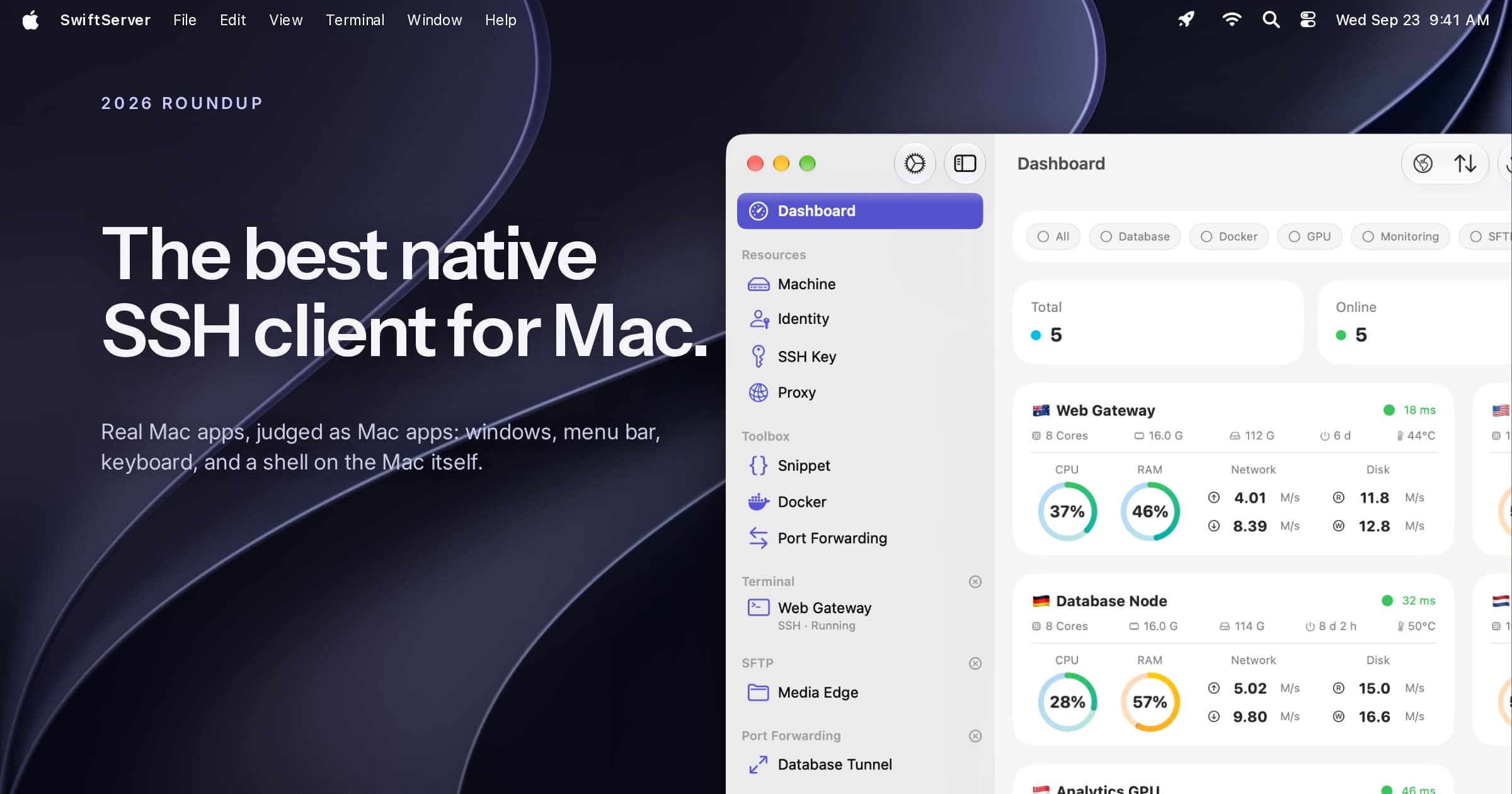
Most SSH clients on the Mac are ports: iPad apps running on Apple silicon, Electron builds shared with Windows and Linux, or Catalyst wrappers around a phone interface. They work, yet none of them feels like the rest of the Mac.
This guide judges six SSH clients as Mac apps: how each is built, whether it shares a purchase with iPhone and iPad, and how it handles windows, the menu bar, keyboard shortcuts, Touch ID, and a shell on the Mac itself.
The short answer
- SwiftServer for most people. A native macOS app with multiple windows, a menu bar panel, a Local Shell, and live monitoring and Docker beside a free terminal. One purchase covers Mac, iPhone, and iPad.
- Prompt 3 for hardware security keys and Panic's design.
- Secure ShellFish if you want server folders in Finder.
- Core Shell for an OpenSSH-based client with no extras.
- Royal TSX if you manage RDP and VNC alongside SSH.
- Termius if you also need the same client on Windows, Linux, or Android, and accept Electron.
The six at a glance
| App | How it is built | Windows | Menu bar | Local shell | Mosh | SFTP | Monitoring | Docker | Shared with iPhone | Price on Mac |
|---|---|---|---|---|---|---|---|---|---|---|
| SwiftServer | Native, AppKit and SwiftUI | Multiple, terminals pop out | Panel with live status | Yes | Yes, free | Yes | Yes | Yes | Yes | Free; Premium $9.99/yr or $34.99 once |
| Prompt 3 | Native | Multiple | No | Via helper | Yes | No | No | No | Yes | $9.99/yr or $49.99 once |
| Secure ShellFish | Mac build, same purchase | Multiple | No | No | No | Finder | No | No | Yes | $14.99/yr or $29.99 once |
| Core Shell | Native | Multiple | No | Not in App Store build | No | No | No | No | Yes | Free Basic; $14.99/yr |
| Royal TSX | .NET with native Cocoa UI | Multiple | No | Yes | No | Yes | No | No | Separate app | Lite free; €49 once |
| Termius | Electron | Multiple | No | Yes | Yes | Yes | No | No | Account | Pro $15/mo or $119/yr |
1. SwiftServer
SwiftServer for Mac is a native macOS target, built with AppKit and SwiftUI without Catalyst, and its App Store listing requires macOS 15 with no note about an iPad app on Apple silicon. It follows macOS conventions throughout: a sidebar and three-column layout, menu commands with keyboard shortcuts, standard toolbars, and a proper Settings window.
Windows, menus, and the Dock
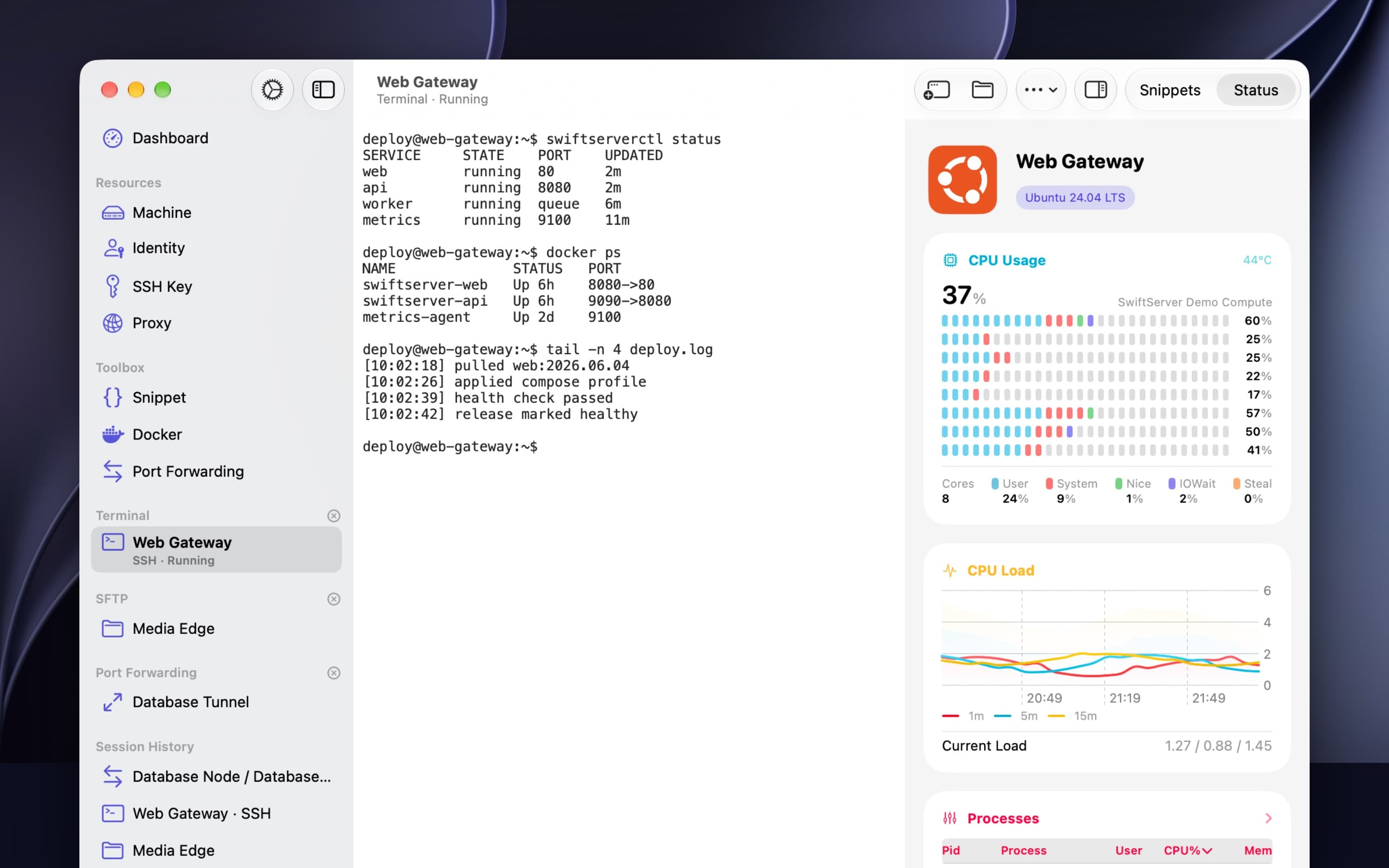
Terminals live in the main window or pop out into their own from the window menu, the toolbar, or a right-click, and keep running after the main window closes. SFTP text files open in an Edit File window or your chosen external editor, and saves upload back to the server. The Dock menu lists your ten most recent connections and starts a new local terminal. Shortcuts cover the daily work: ⌘N for a new machine, key, snippet, or rule, ⌘R to refresh the Dashboard, ⌘F to find inside the terminal, ⌘+ and ⌘- for text size, ⌥⌘I for the Terminal Inspector, ⇧⌘G to jump to a path in SFTP, and ⌘T for a local terminal. Desktop widgets show server counts and one machine's live status without opening the app.
The terminal
The terminal is full xterm-256color with true color, more than 500 color schemes with separate light and dark picks, nine monospace families, and adjustable size, line height, and letter spacing. Mosh is built in. Snippets run in one session or across a group of machines, with a result per machine. Sessions duplicate in one click and land in a Session History you can reconnect from.
Two features that belong to the Mac alone
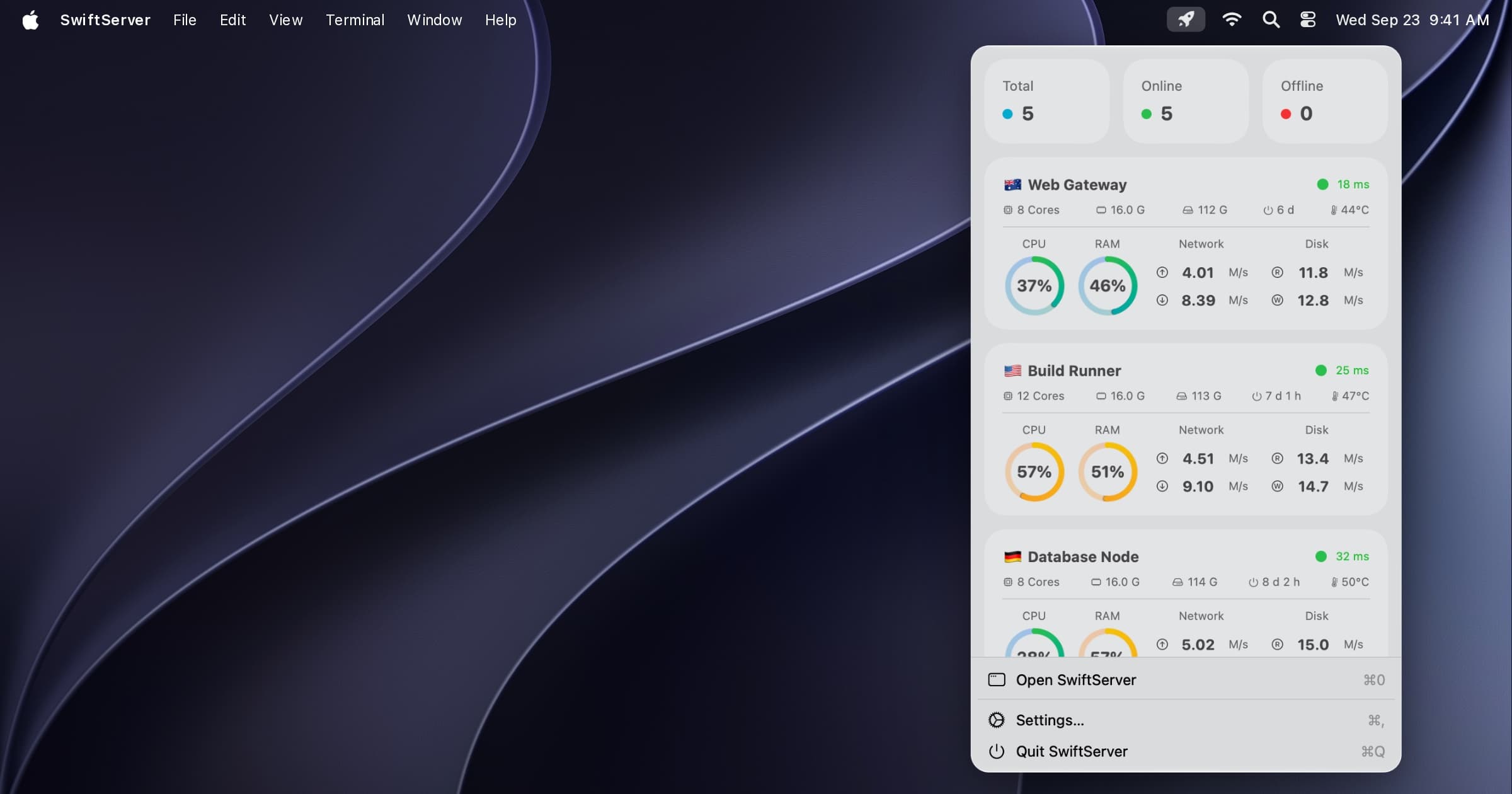
The menu bar panel keeps sampling your servers after the last window closes, at an interval you choose, and can pause on battery. It shows the Dashboard's status cards and live sessions, and opens a terminal or SFTP session in one click. Local Shell opens a login shell on the Mac in the same window as your SSH sessions, with the same themes, fonts, and snippets, so Homebrew, nvm, and your ssh-agent are on the PATH. It runs through a small helper installed once from Settings, because a shell inside the App Store sandbox cannot see your home folder.
The rest of the app
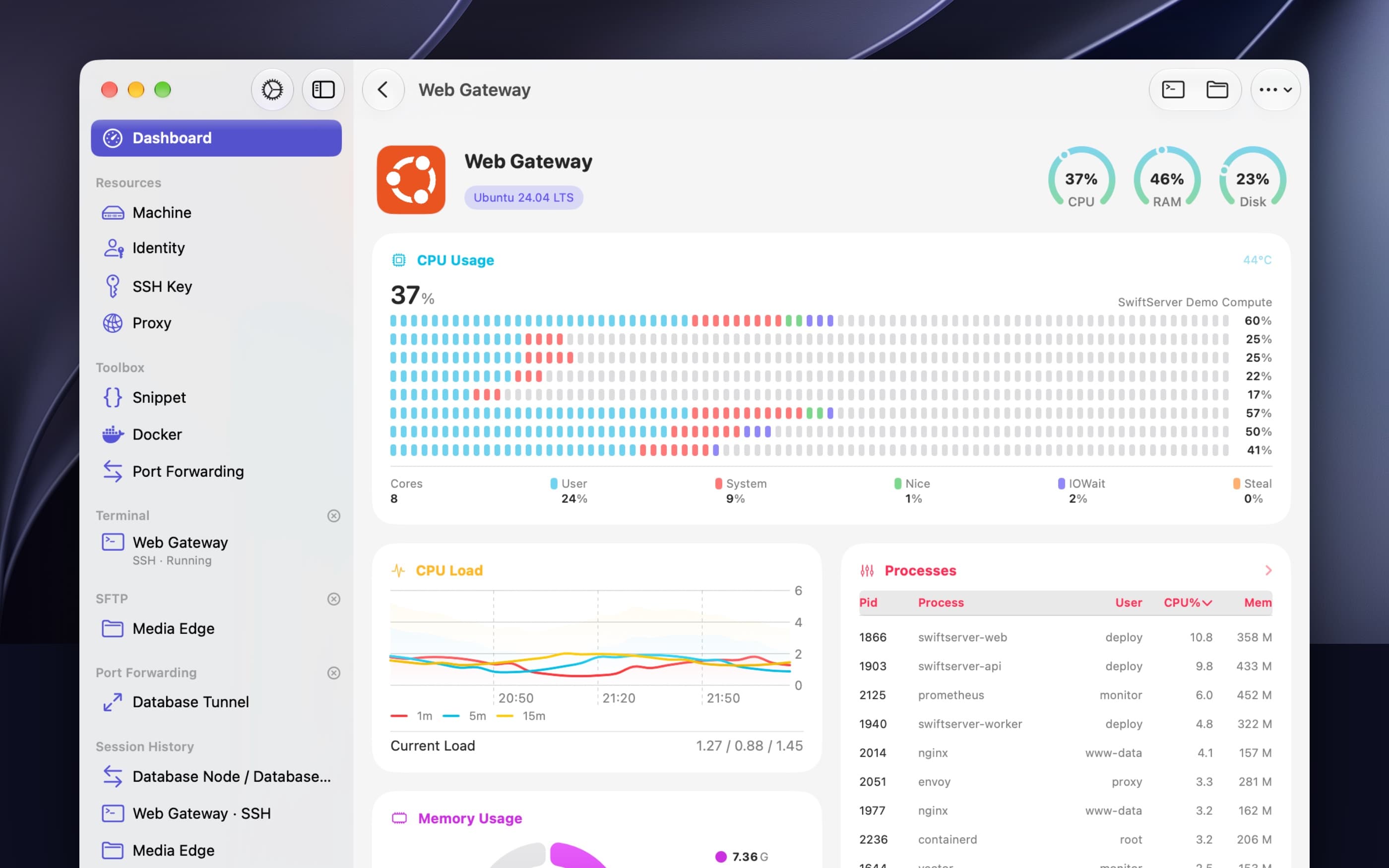
Everything else matches the other platforms: live monitoring of Linux, macOS, and Windows servers with nothing installed on them, a status page of up to four columns, a Docker panel that speaks the Engine API through SSH, SFTP with Quick Look and a syntax-highlighting editor, port forwarding rules, jump hosts, and proxies. Host keys are checked on first contact, and a changed key stops the connection. The app needs no account. Sync uses your own iCloud, and secrets travel only through iCloud Keychain, optionally behind Touch ID.
Best for: anyone who wants a Mac SSH client that is also the place they watch their servers.
Price: the terminal, Mosh, SFTP, and monitoring for three servers are free. Premium is $1.99 a month, $9.99 a year, or $34.99 once.
2. Prompt 3
Prompt 3 is Panic's SSH client, and Panic describes the Mac version as fully native. It supports SSH, Mosh, Eternal Terminal, and Telnet, plus jump hosts, agent forwarding, FIDO2 security keys, YubiKey, SSH certificates, and Secure Enclave keys. Clips hold your snippets, and Panic Sync keeps servers in step across Mac, iPhone, iPad, and Vision Pro. A helper provides a local terminal.
It offers a terminal and a host list, without SFTP, monitoring, or Docker. Updates in 2026 have been infrequent.
Best for: hardware-key users who value design.
Price: $9.99 a year or $49.99 once, covering all four platforms.
3. Secure ShellFish
Secure ShellFish is the Mac app for people who think in files. Server directories mount in Finder, with offline folders, drag and drop, a Services menu entry for uploads, and Shortcuts actions. The terminal supports two-factor login, YubiKey, SSH certificates, and Secure Enclave keys unlocked with Touch ID, and uses tmux for session persistence. Settings sync through iCloud Keychain.
It lacks Mosh and a local shell, and the free tier shows ads in the terminal.
Best for: Finder integration.
Price: free with ads. $2.99 a month, $14.99 a year, or $29.99 once.
4. Core Shell
Core Shell is a native client built on OpenSSH, with a clean host list, tabs, and a universal purchase across Mac, iPhone, and iPad. The App Store build runs in the sandbox, so it cannot read ~/.ssh/config, use your ssh-agent, open a local terminal, or forward X11. It also leaves out Mosh, SFTP, monitoring, and Docker.
Best for: a simple, native host list on top of OpenSSH.
Price: free Basic. $14.99 a year, or $44.99 for four years.
5. Royal TSX
Royal TSX is a connection manager first, covering SSH, RDP, VNC, web, and more from one window. The terminal is based on iTerm2, and the app is written in .NET driving a native Cocoa interface. It is sold directly, and the iOS companion is a separate app.
Best for: administrators who juggle several remote protocols.
Price: Lite is free. The full license is €49 once.
6. Termius
Termius is the most widely used SSH client across platforms, and its Mac app is built on Electron. Hosts, keys, and snippets sync through a Termius account, and the same app runs on Windows, Linux, iPhone, iPad, and Android. Recent desktop releases made proxies, host chains, agent forwarding, and serial connections free, and there is a local terminal.
Electron keeps a browser engine in memory, and window and keyboard behavior diverge from Mac conventions. Termius also lacks Touch ID and Keychain integration, monitoring, and Docker.
Best for: cross-platform teams that need one client everywhere.
Price: free Starter with an account. Pro is $15 a month or $119 a year.
What about iTerm2, Ghostty, and Warp?
They are very good terminals. iTerm2 and Ghostty are native, fast, and free, and Warp adds an AI layer. All three run the ssh command as well as Terminal.app does, and lack everything around the connection: a saved host list, keys in the Keychain, SFTP, port forwarding rules, jump host chains, Mosh, and sync to your phone. If you only ever type ssh host, a terminal is enough. Past a couple of machines, you want an SSH client on top.
How to pick
If the Mac is where you work and your servers are what you work on, SwiftServer watches them, manages their containers, and opens a shell on any of them or on the Mac itself. For the rest, pick Prompt 3 for hardware keys, Secure ShellFish for Finder, Core Shell for plain OpenSSH, Royal TSX when RDP and VNC sit beside SSH, and Termius when the same client has to run on Windows or Android.
FAQ
What is the best native SSH client for Mac? SwiftServer. It is a real macOS app, built with AppKit and SwiftUI, with multiple terminal windows, a menu bar panel that keeps monitoring your servers after the last window closes, a Local Shell for the Mac itself, and a universal purchase that also covers iPhone and iPad. The terminal, Mosh, and SFTP are free.
Is Termius a native Mac app? No. Termius for Mac is built on Electron, the same framework used for web-based desktop apps. It runs fine, but it does not behave like a Mac app in memory use, window handling, or keyboard conventions.
Does macOS have a built-in SSH client? Yes. Terminal.app ships with the OpenSSH command line client. A dedicated SSH app adds a saved host list, keys in the Keychain, SFTP, port forwarding rules, jump hosts, and sync to your iPhone and iPad.
Which Mac SSH client also opens a local shell? SwiftServer's Local Shell opens a login shell on the Mac in the same window as your SSH sessions, with the same themes, fonts, and snippets, through a small helper installed from Settings. Prompt 3 offers a local terminal through a helper as well.
Which Mac SSH client shares a purchase with iPhone? SwiftServer, Prompt 3, Secure ShellFish, and Core Shell are universal purchases. Termius uses an account and a subscription that spans every platform.
Is iTerm2 or Ghostty an SSH client?
They are terminals. Both run the ssh command well, but they have no host list, no key management, no SFTP, and no Mosh. An SSH client sits on top of that layer.
SwiftServer is free to download on the Mac App Store. The 2.2.0 release notes cover the menu bar panel and Local Shell in detail.
Related posts
September 21, 2026
The Best SSH Client for iPhone in 2026
Eight SSH apps for iPhone and iPad compared on terminal quality, Mosh, SFTP, port forwarding, jump hosts, monitoring, Docker, sync, and price, with a pick for each kind of user.
September 24, 2026
SwiftServer 2.2.0: Local Shell, a Menu Bar Panel, and a Shell Inside Any Container
SwiftServer 2.2.0 adds a local terminal on your Mac, a menu bar panel that keeps monitoring after the last window closes, shells into running Docker containers, live Compose logs, machine restart, and a pause switch for monitoring.